
Merchant Center Product Disapproved? The 9 Most Common Errors and How to Fix Them
By Muhammad Tayyab, Top Rated Google Ads Expert · Updated November 2026
Quick answer: when a Merchant Center product is disapproved, Google has found a problem with that item’s data, image, landing page or policy compliance. Open Products in Merchant Center, filter by “Not approved” or “Needs attention”, read the exact issue name, fix it at the source (your store or feed), and let Google re-crawl. Most product disapprovals clear within a few days once the data is correct.
A disapproved product is different from a suspended account. With a disapproval, only certain products stop showing in Shopping ads, Performance Max and free listings. With a suspension, the whole account stops. If your entire account is suspended, read my guide on fixing a Merchant Center misrepresentation suspension instead.
Where to find the reason a product is disapproved
In Merchant Center, go to Products and look at the status of each item. Then click a product to see the exact issue, the affected destinations (Shopping ads, free listings) and the countries. In addition, the issue summary groups problems by type, so you can fix hundreds of items at once instead of one by one.
Google’s 2026 product data specification update is worth reading too, because several requirements are getting stricter.
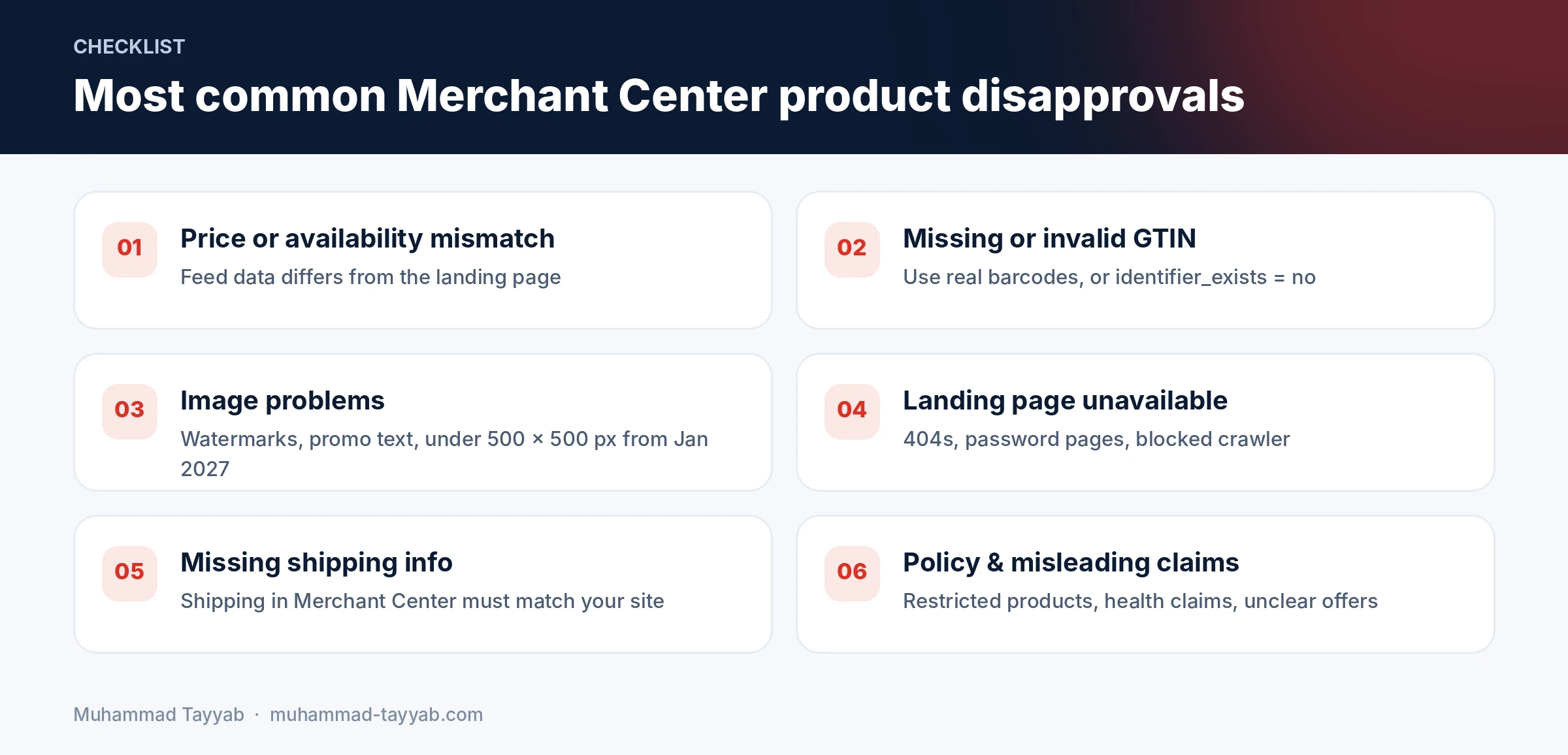
The 9 most common Merchant Center product disapprovals
1. Price mismatch
The price in your feed doesn’t match the price Google sees on the landing page. This often happens with sale prices, currency switchers, or prices that change by variant. Fix: make sure the feed updates whenever prices change, show the same price on page load for the variant in the link, and add structured data (schema.org Product) with the correct price. Automatic item updates can help, but they are a safety net, not a fix.
2. Availability mismatch
The feed says “in stock” but the page says “sold out”, or the other way around. Fix: sync stock more often and make sure each variant’s link opens with that variant selected.
3. Missing or invalid GTIN
Branded products usually need a valid GTIN (barcode). Fake or reused GTINs cause disapprovals or limited performance. Fix: use real GTINs from the manufacturer. For custom or handmade products without one, set identifier_exists to “no” honestly.
4. Image problems
Watermarks, promotional text on the main image, placeholder images and low resolution are common triggers. Importantly, Google has announced that product images must be at least 500 x 500 pixels by January 31, 2027, or the product will be disapproved. Fix: use clean product photos at 1500 x 1500 pixels or larger, and move “sale” badges off the main image.
5. Landing page not working or unavailable
Broken links, 404 pages, password-protected stores, slow servers or bot protection that blocks Google’s crawler. Fix: test the link from the feed in an incognito window, check your firewall or CDN settings, and make sure Googlebot isn’t blocked by robots.txt.
6. Missing shipping information
Every product needs shipping costs and delivery times for the target country. Fix: set up shipping services in Merchant Center that match your website’s shipping policy exactly.
7. Policy violations (healthcare, unsupported content and more)
Some products are restricted or not allowed: certain supplements, prescription items, weapons accessories, or products making health claims. Fix: read the specific policy named in the issue. Sometimes the product is fine and the wording is the problem, for example “cures”, “treats” or “guaranteed weight loss”.
8. Misleading or incomplete product data
Titles stuffed with keywords, ALL CAPS, missing brand, or descriptions that don’t match the product. Fix: write clear titles in this order: brand, product type, key attribute (size, color, material). Good titles also help you show in AI Mode, where Google now uses product data to answer shopping questions.
9. Item-level “misrepresentation”
Sometimes misrepresentation hits single products, for example when a “free” product requires paid shipping or a claim on the page can’t be verified. Fix: remove the claim or make the condition crystal clear on the page and in the feed.
How to request a review after fixing disapprovals
For most data issues you don’t need to do anything: Google re-crawls and the status updates on its own. For policy disapprovals, however, you can request a review from the product’s issue page once the fix is live. Don’t request reviews before the change is published, because repeated rejected reviews slow things down.
Need hands-on help? I offer Merchant Center setup and misrepresentation fixes and Google Shopping and Performance Max management for eCommerce stores, for businesses in the US, UK, Canada and Australia. See all services →
Frequently asked questions
How long does it take for a disapproved product to be approved?
Usually a few days after Google re-crawls the product. Big feeds can take up to about a week.
Do product disapprovals affect my whole account?
Not directly. However, a large share of policy disapprovals can lead to account-level warnings, so fix them early.
Why is my product approved but not getting impressions?
Approval only means the product is eligible. Low bids, a weak title, missing GTIN (“limited performance”) or a high price compared to competitors can still keep impressions low.
Need help with Merchant Center?
I’m Muhammad Tayyab, a Google Merchant Center and Shopping ads specialist, Top Rated on Upwork and Fiverr. I clean feeds, fix disapprovals and suspensions, and build Shopping and Performance Max campaigns that perform. For example, I took Imani Studio, a fashion ecommerce store, from roughly 1x to 7.35x ROAS with Search and Performance Max Shopping campaigns. See more case studies or claim a free Google Ads & Merchant Center audit.